AudioLoom Editor: A Desktop Audio Editor That Trims, Orders and Joins Recordings
A Windows desktop audio editor for interview and meeting recordings, including ones that run for hours: trim the parts, put them in order, balance their levels and save them as a single file. Built with Tauri 2 and Svelte 5; cutting, splitting, pasting, loudness matching and export run on the Rust side through an FFmpeg build that ships with the app. Designed for a non-technical user with low vision: larger text sizes, a high-contrast theme, a fully Turkish interface and a keyboard shortcut for every action.
Rust · Tauri 2 · Svelte 5
A Windows audio editor that cuts and orders hours-long interview recordings and joins them without loss.
- lines of Rust and Svelte
- ~10k
- unit tests
- 70+
- waveform of a 5-hour FLAC
- 3.5 s
- stays 24-bit: a lossless pipeline
- 24-bit
Highlights
Accessibility
Built for someone with low vision
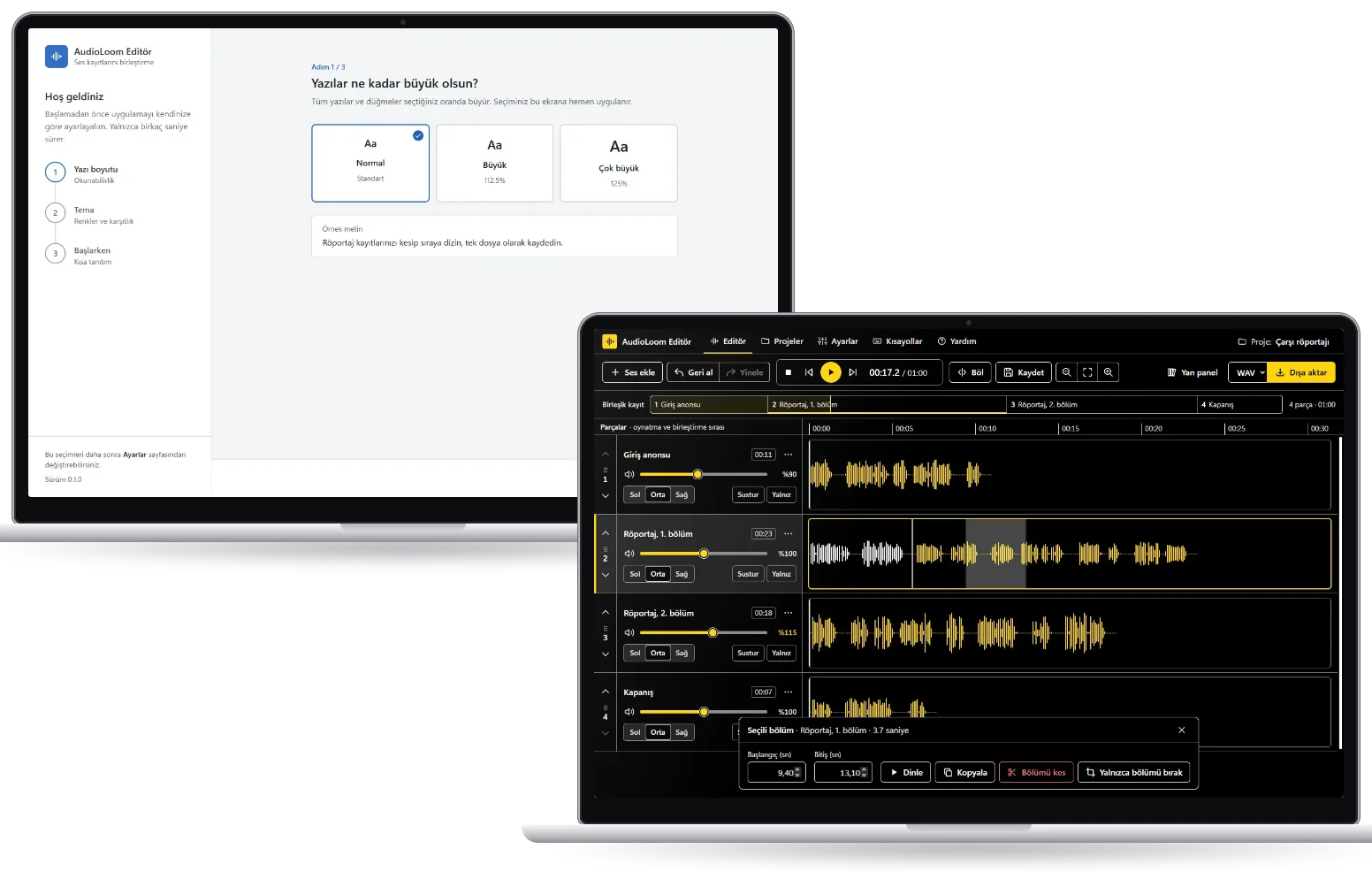
- A welcome step that asks for text size first
- High-contrast theme
- Simple screens that guide step by step
Performance & metrics
- Lossless pipeline: at 100% volume and Center position the filters leave samples untouched; sample rate and bit depth follow the source, so 24-bit input stays 24-bit
- The waveform of a 5-hour FLAC recording loads in about 3.5 seconds the first time and about 0.07 seconds from the disk cache; the UI requests at most 3 waveforms at once
- After a cut or split the new waveform is derived from existing peaks without running FFmpeg again; the file is never decoded twice
- FFmpeg jobs run on threads that never block the UI; many files are prepared with bounded concurrency
- The system WebView2 instead of Electron; the installer is shrunk with LTO and strip
- About 10k lines of Rust and TypeScript/Svelte; more than 70 unit tests (Vitest and cargo test)
Why I built it
I wrote this app for a family member. Part of their job is editing interview and meeting recordings: cutting out unwanted parts, putting the pieces in order, evening out their volume and delivering one file. Professional audio software is far too complex for that, and the free tools are either English-only or crowded with tiny text. With low vision, small buttons and faint colors are simply unusable. The project split off from AudioLoom, a tool I wrote for mixing tracks on top of each other, and was rewritten for a single job: the parts are not parallel layers but consecutive sections. They play one after another and are joined end to end. Every word in the interface is Turkish, every action can be undone, and the work is saved automatically on each change, so closing the app or a power cut never loses anything.
Architecture & decisions
The interface is SvelteKit (a static SPA) with Svelte 5 runes. Editor state lives in a single class (editor); sequential playback, undo/redo history, the side panel and intermediate file tracking are its sub-parts. Components never mutate state directly; they call editor methods. Audio processing happens in Rust: each Tauri command runs inside spawn_blocking and drives the bundled FFmpeg without opening a console window (asplit + atrim + concat for cutting, two-pass loudnorm for loudness matching, concat for joining). Waveform peaks are also extracted in Rust: FFmpeg streams the audio at 16 kHz through a buffered pipe, Rust pulls out 100 peaks per second, caches them on disk (keyed by path, size and modification time, capped at 512 MB) and hands them to wavesurfer.js ready-made, so the WebView never has to decode large files and <audio> streams the file for playback. Preview runs on the Web Audio API (GainNode, StereoPannerNode) and export on FFmpeg filters; the volume and pan logic is written to produce the same result on both sides and is guarded by unit tests. Formats WebView2 cannot play (WMA, AIFF, ALAC, AMR and others) are converted to lossless FLAC on import. Projects, settings, backups and logs are stored as JSON with atomic writes in a single Veriler (Data) folder next to the installation; if that folder is not writable the app falls back to local app data and moves everything back automatically once it is. Paths inside a project file are relative, so a project folder can be moved. Every intermediate file, backup and export first checks that the disk has room for its estimated size; exports are written to a temporary file and moved into place only on success.
Key features
- Sequential playback and joining: parts play one after another and export joins them end to end in list order (WAV, MP3, FLAC, OGG, M4A)
- Select a region by dragging on the waveform or with Shift + arrow keys; type its start and end as hours:minutes:seconds; listen to it, cut it, keep only it, or split the part at the cursor
- One-key trimming: cut the silence at the start up to the cursor (Ctrl+Home) or the excess at the end from the cursor (Ctrl+End); turn the selected region into its own part in place (before / region / after)
- Built for recordings that last hours: "Fit" fits the longest part on screen and the view fits itself when audio is added; a very short part (such as a 25-second beep next to a 5-hour recording) gets its own scale and its own time ruler
- A "Combined recording" strip: the whole file to be exported, parts proportional to their length; click to jump to that point
- Copy, cut and paste across parts and projects; duplicate, reorder by dragging or with Alt + arrow keys, insert audio in between
- Per-part volume (0–200%), Left/Center/Right, Mute and Solo; match every part to -16 LUFS in one click
- Projects: every change is saved automatically; parts, side panel, cursor and undo history come back when the app reopens. A projects page with search (finds ç, ğ, ı, ö, ş, ü when typed as c, g, i, o, s, u), recent projects, a month-grouped list and each project's disk usage; portable project copies and opening projects from elsewhere
- Before overwriting an original file, its previous version is copied to a dated backup folder; saving itself can be undone. The app warns before the disk fills up; "Clear undo history" deletes intermediate files without touching the parts
- Side panel: preview files before adding them and drag them into the right position; drag and drop from File Explorer
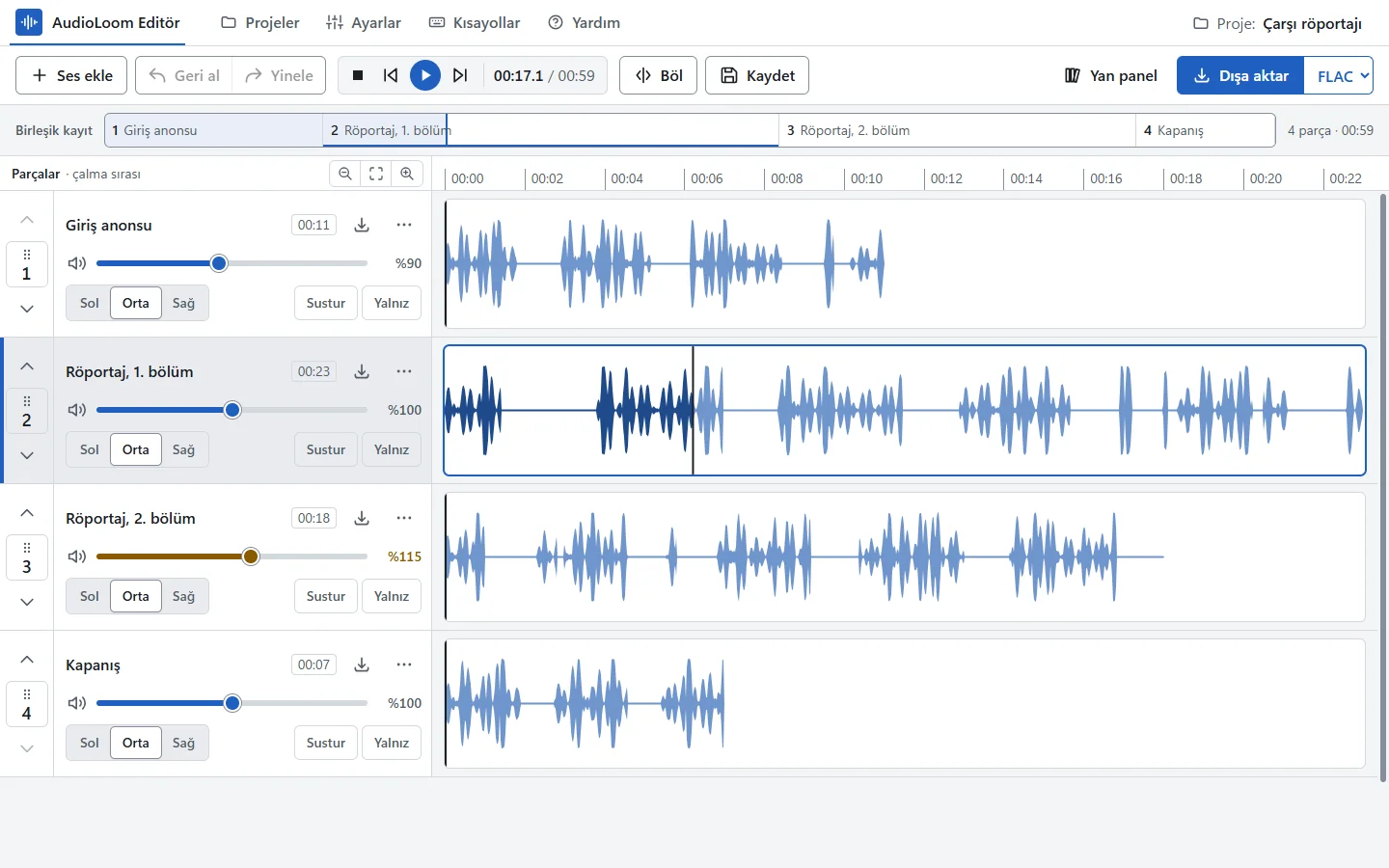
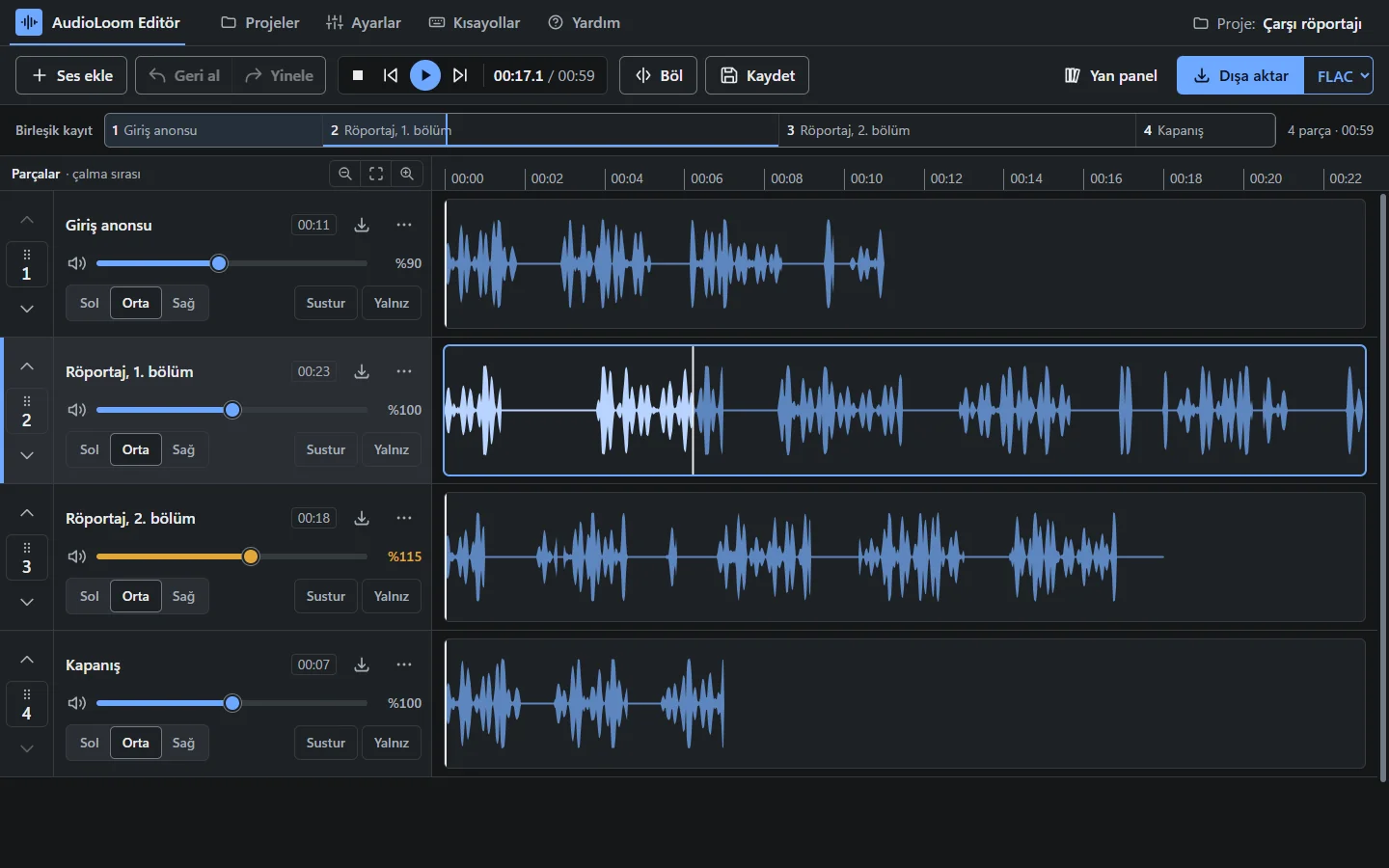
- Accessibility: three text sizes, light, dark and high-contrast (black/yellow) themes, a step-by-step first-run welcome screen, extensive keyboard shortcuts that also work on a Turkish Q layout
- Built-in Turkish user guide and shortcuts page; a Turkish NSIS installer that relaunches with administrator rights when installing to Program Files, sets write permissions on the
Verilerfolder, and whose uninstaller can also remove user data
Screens
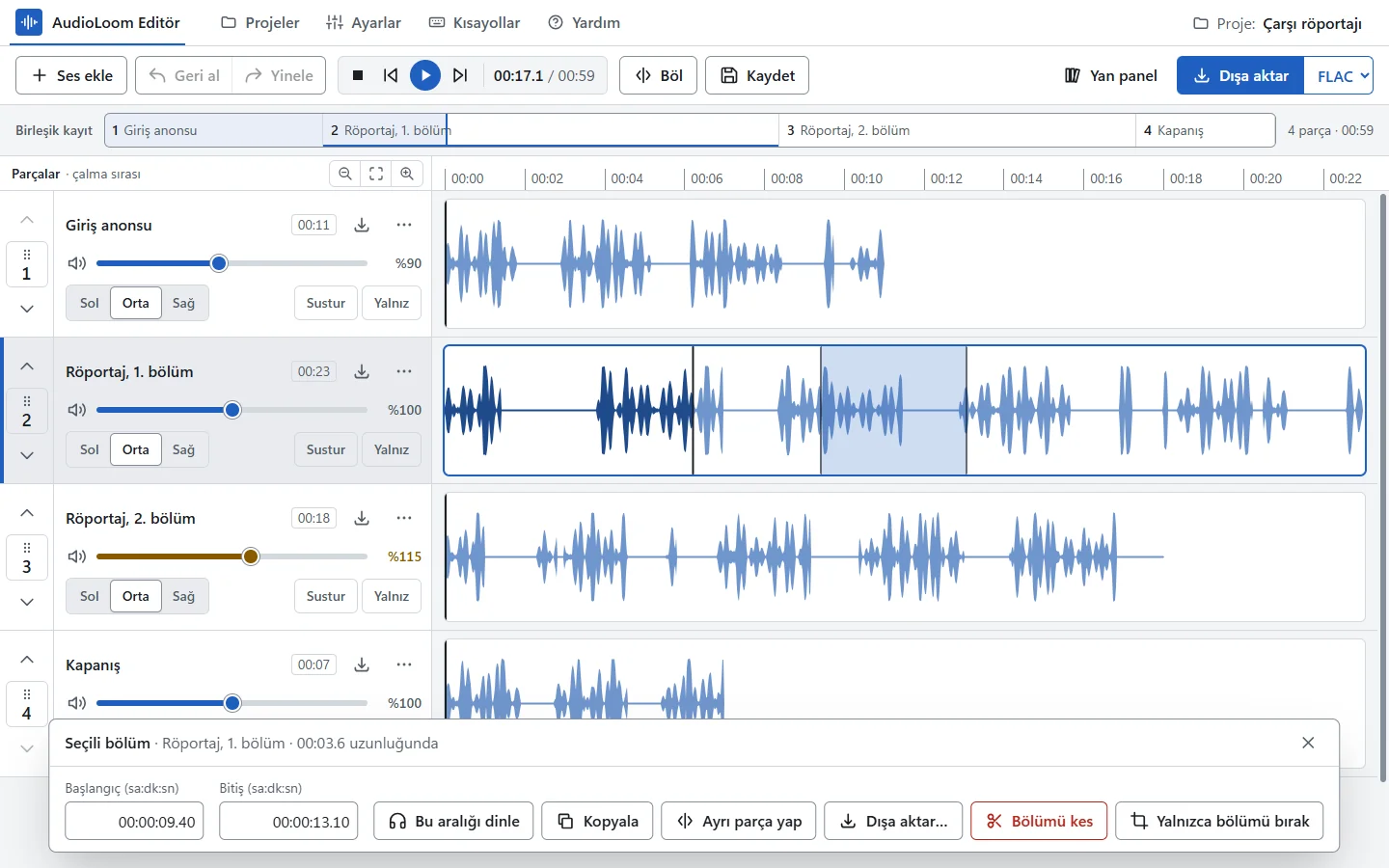
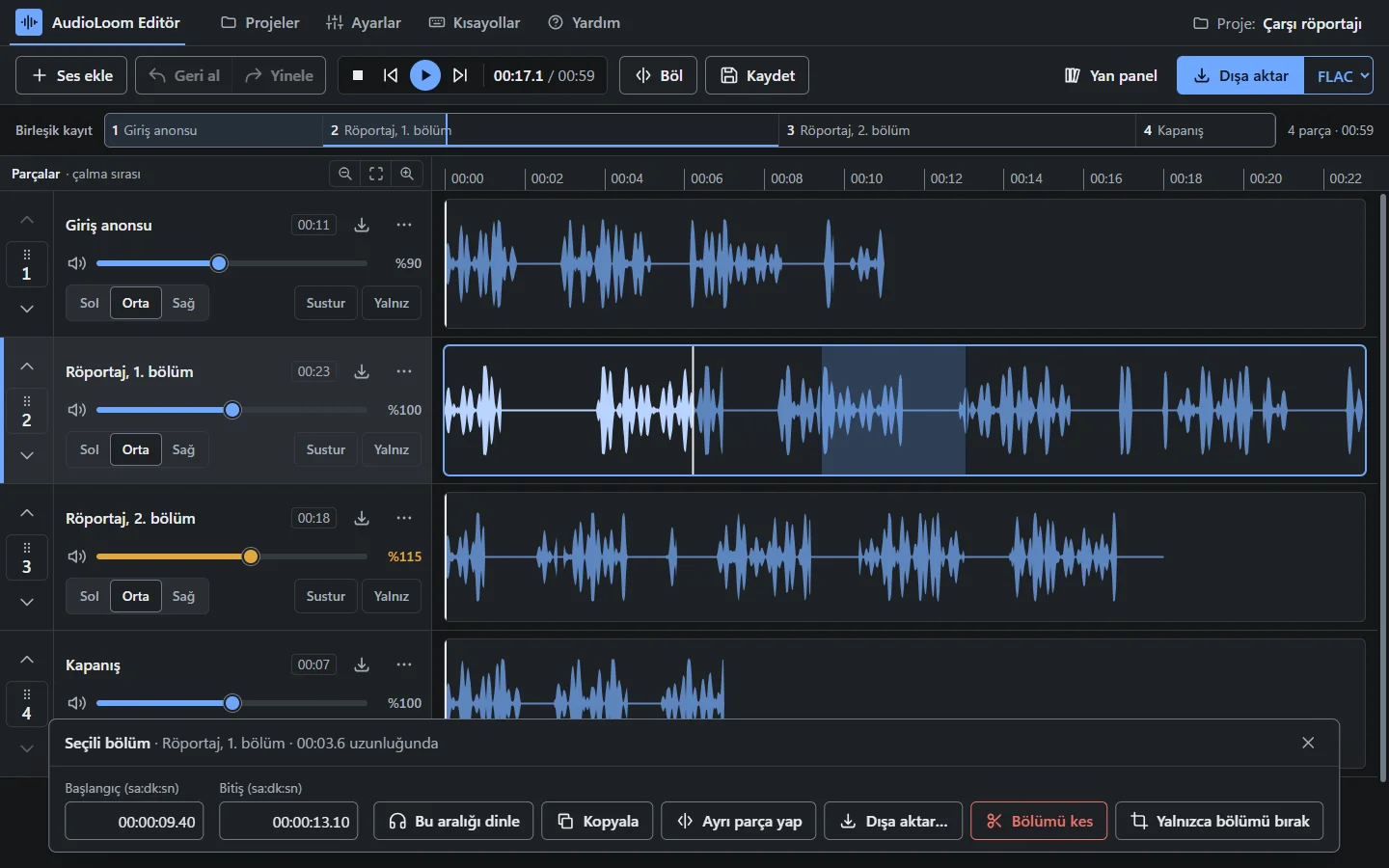
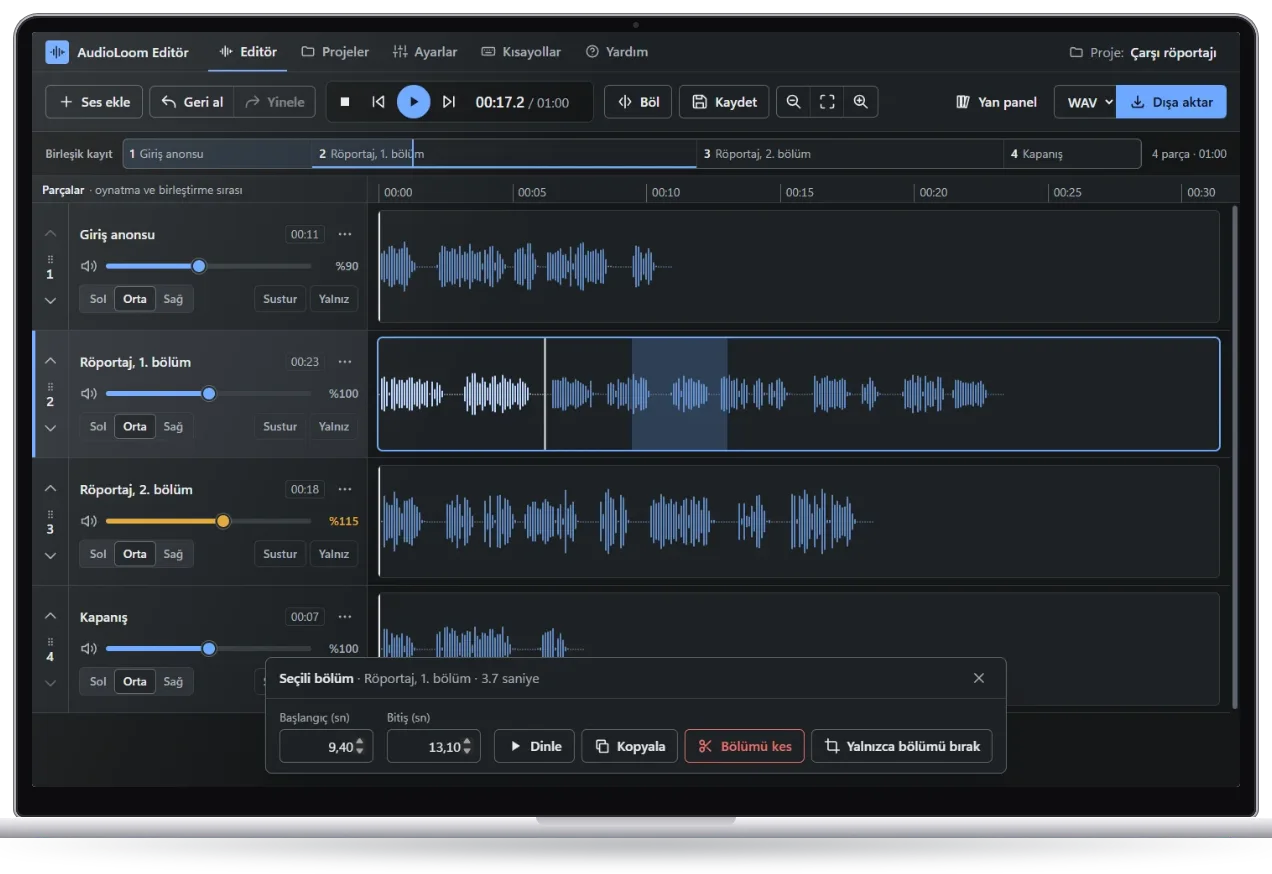
A selected region on the waveform; below it the selection panel with hh:mm:ss fields and Play range, Copy, Make separate part and Cut buttons 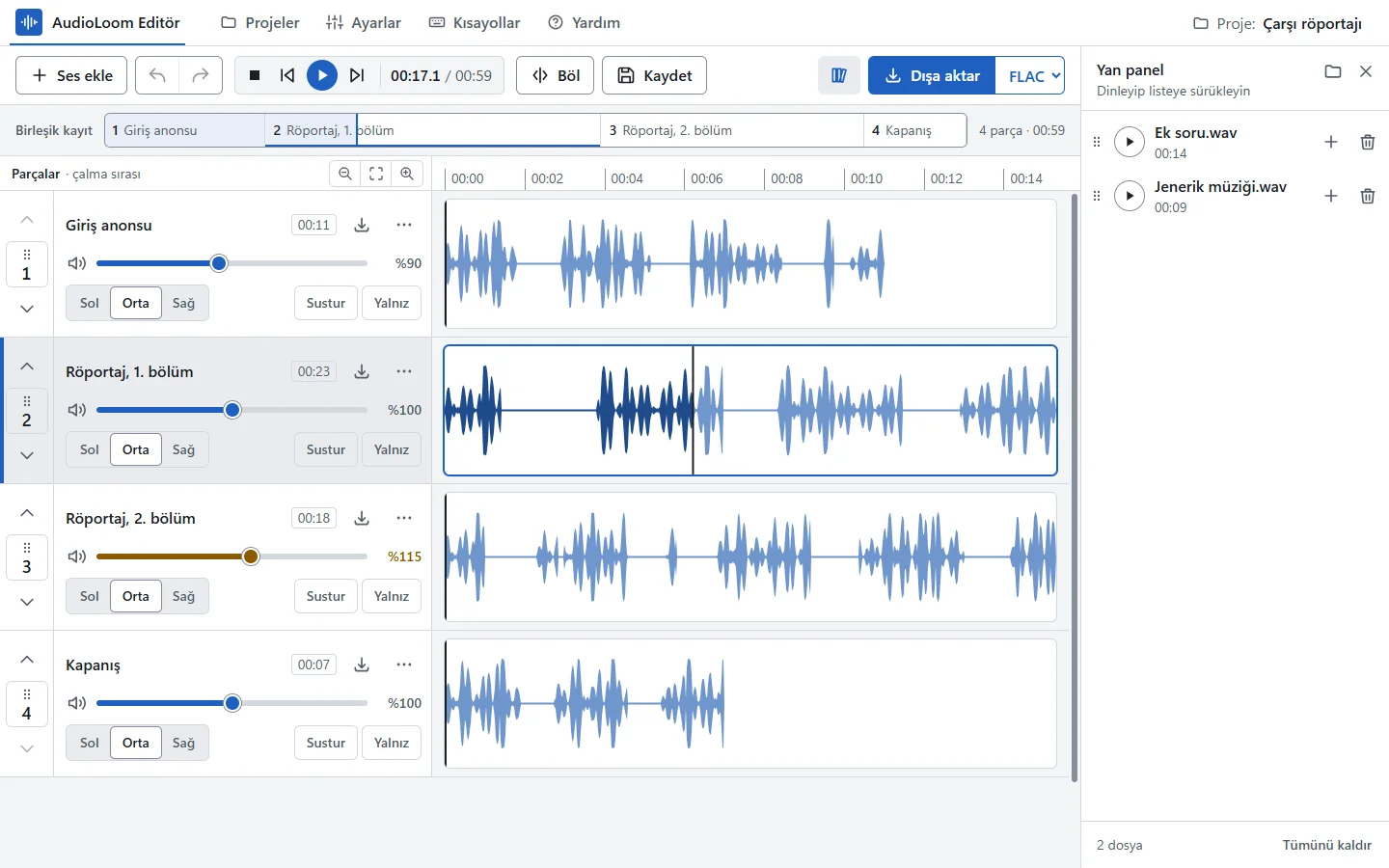
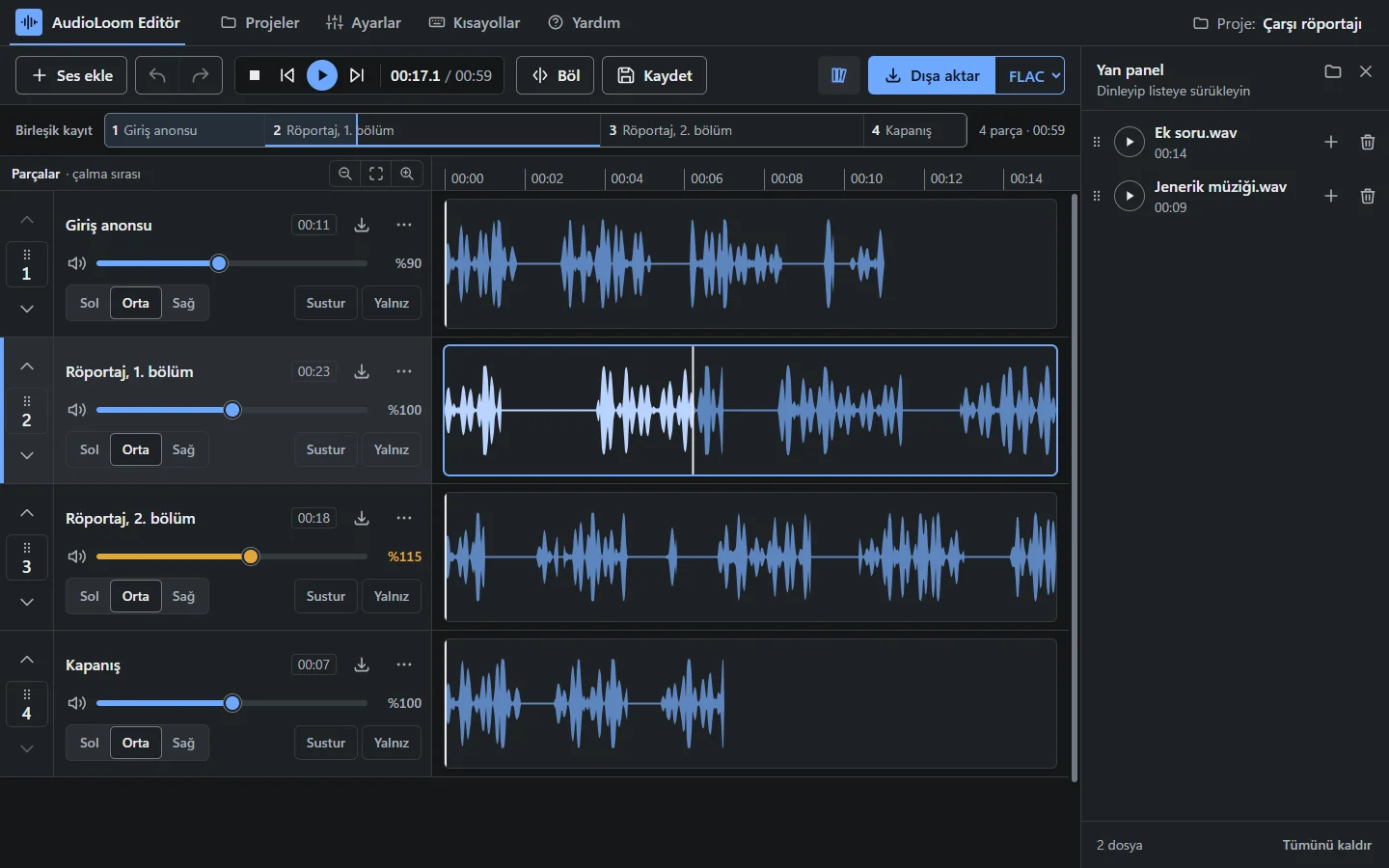
The side panel open with two audio files that can be previewed before adding them to the sequence 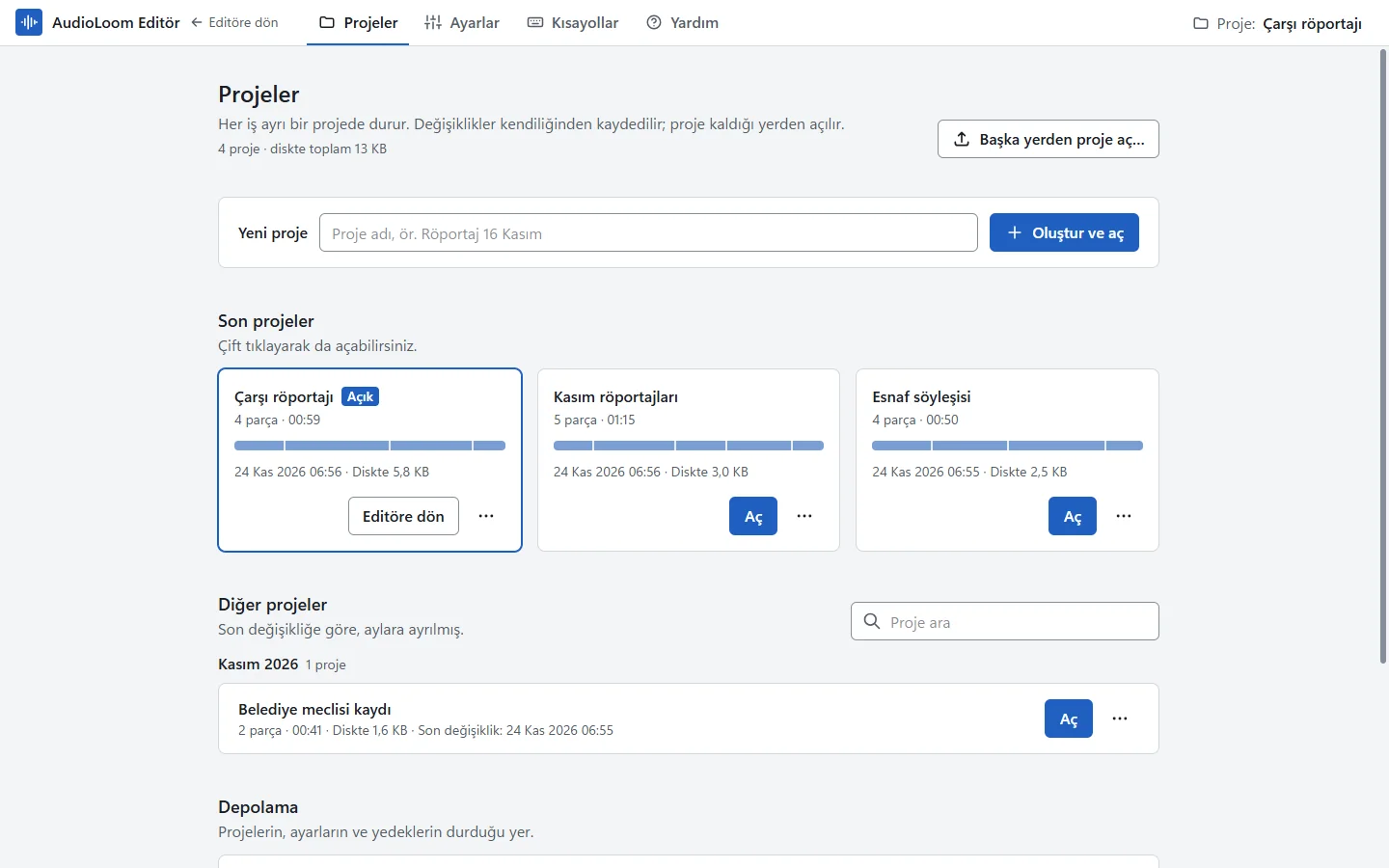
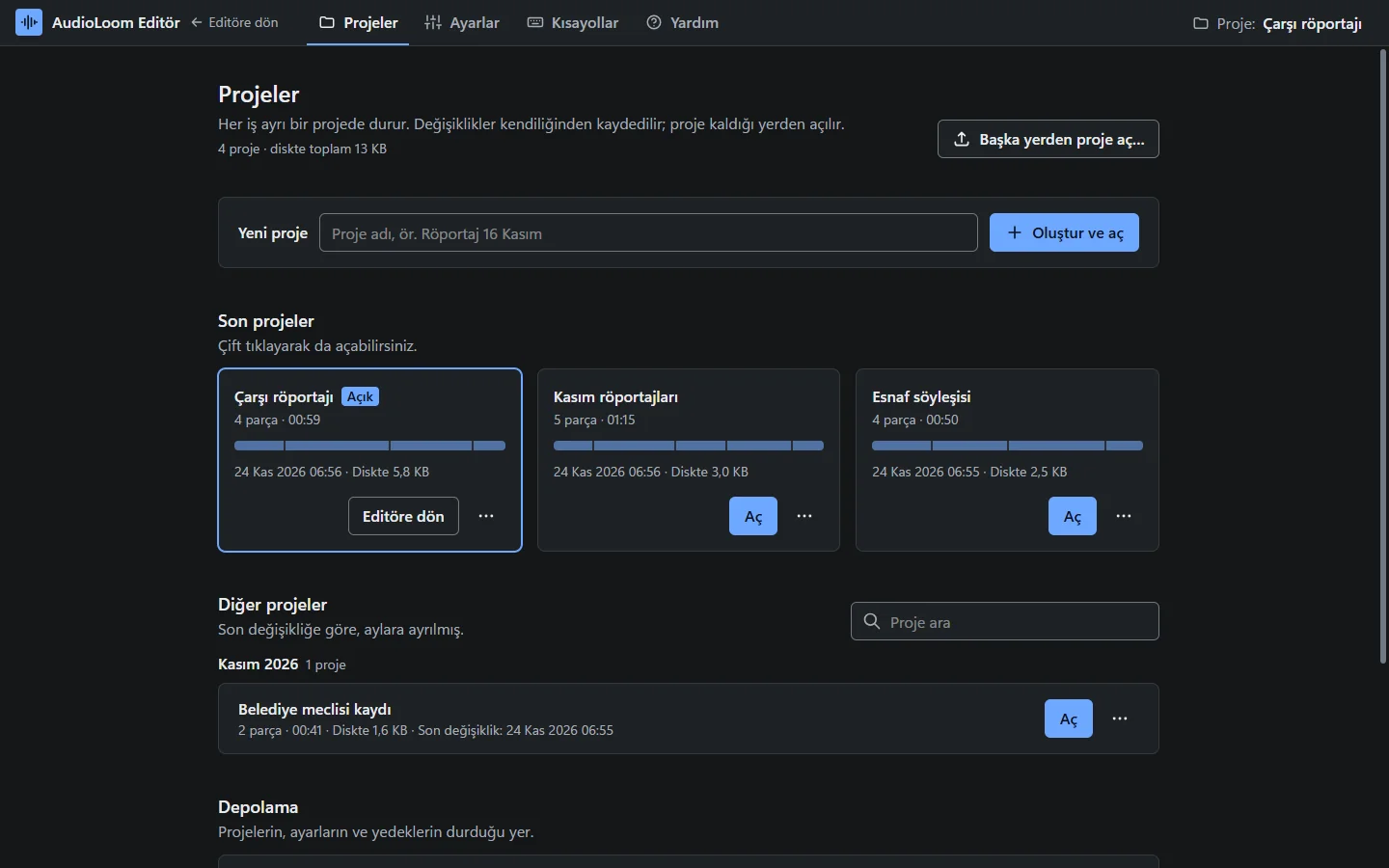
The projects page: a new project field, recent project cards with part count and length, and other projects grouped by month 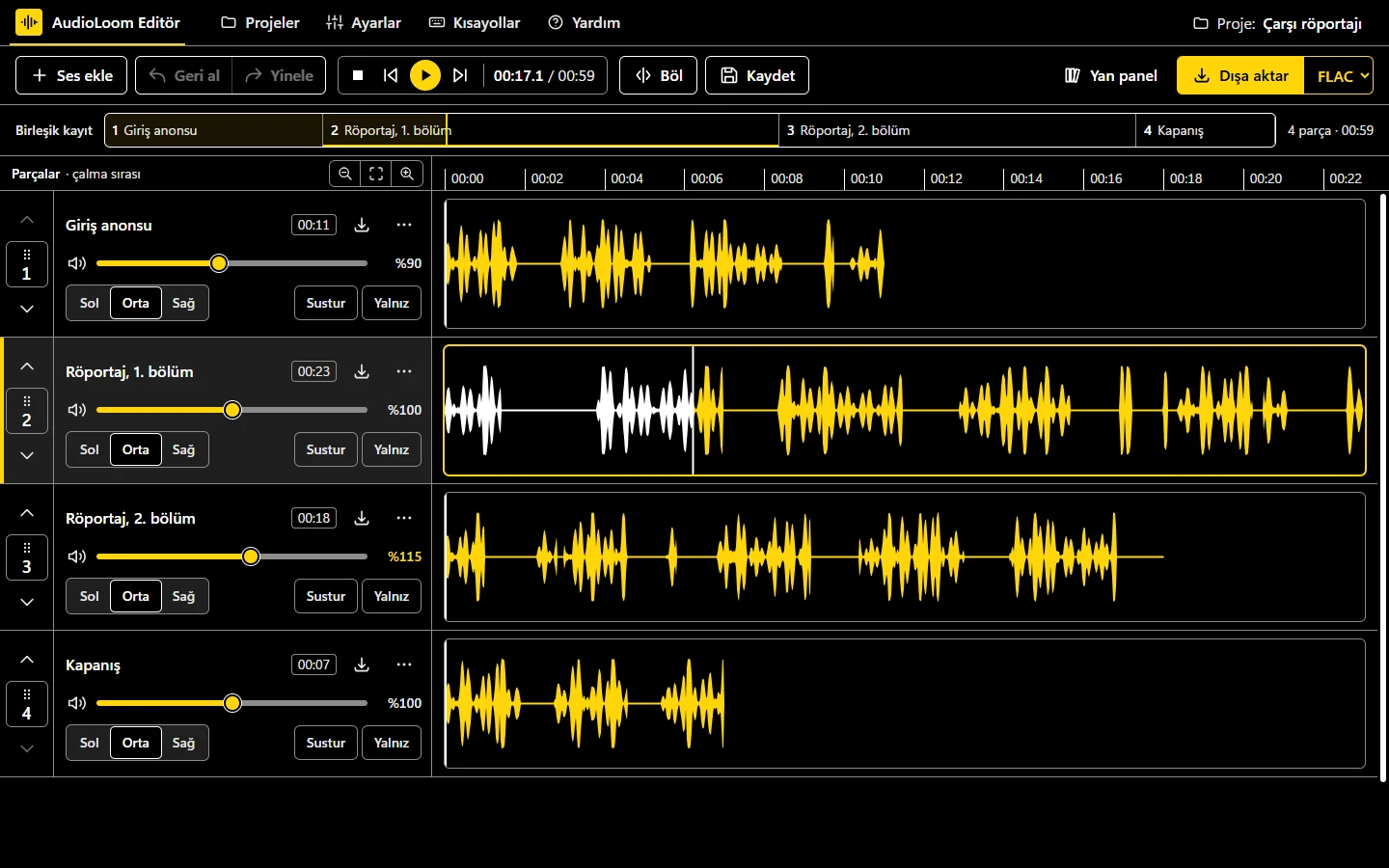
High-contrast theme: yellow waveforms and buttons on a black background 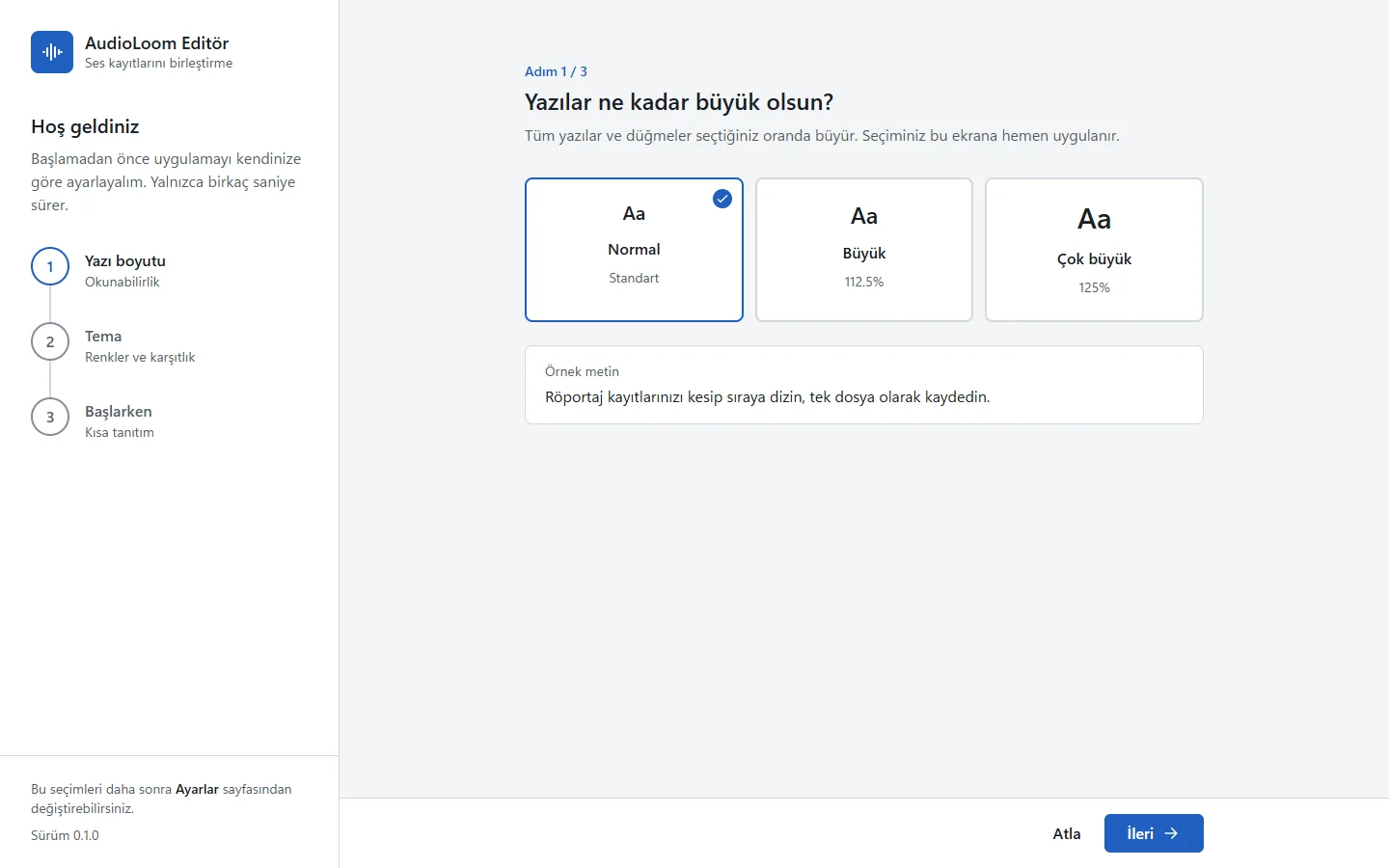
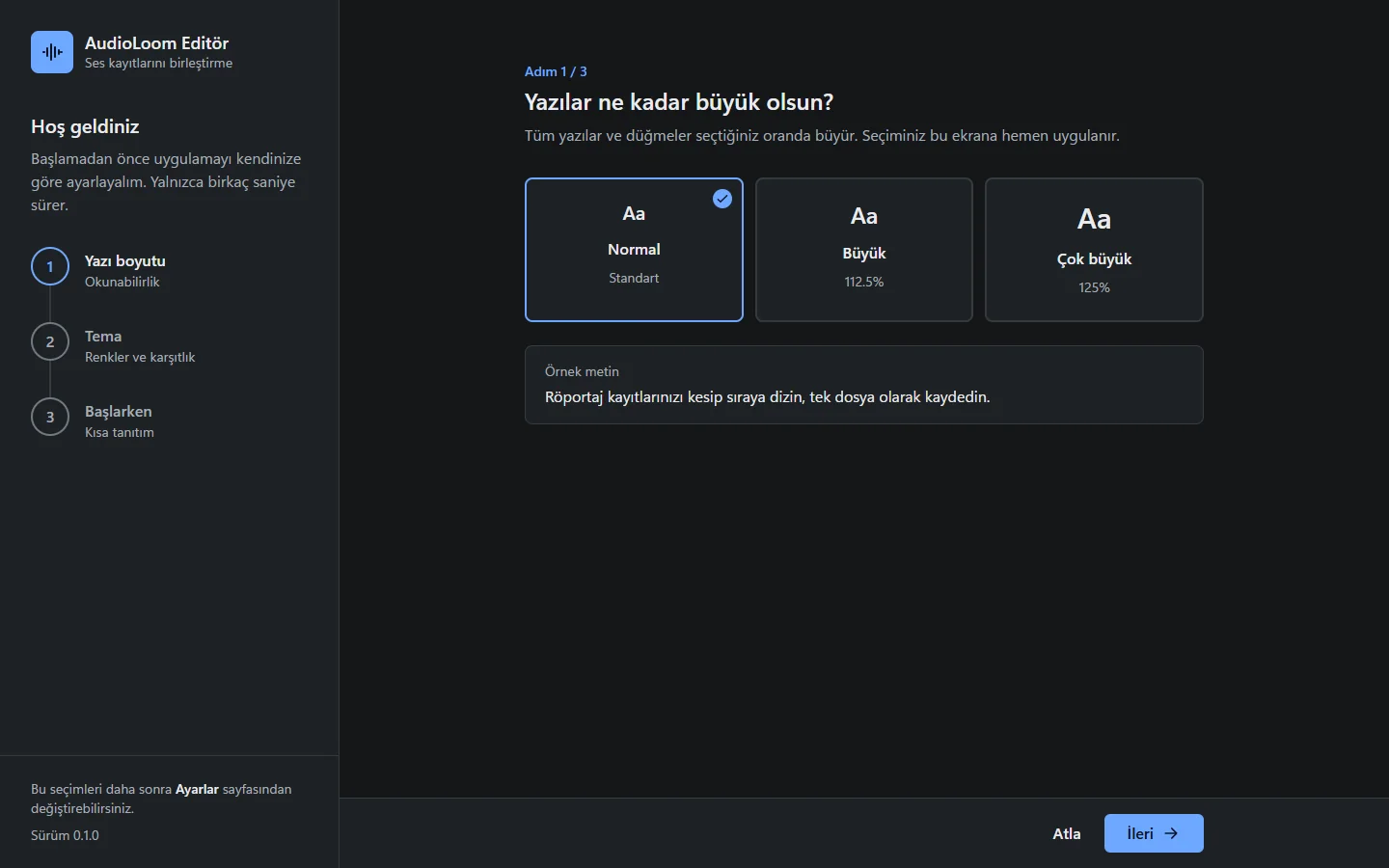
The three-step first-run welcome screen: choosing between Normal, Large and Extra large text
Technical review
The real work in this project was making a complex tool feel simple. The interface says "part" instead of "track", every button's tooltip names what it does and its shortcut, and even errors coming back from Rust appear as Turkish notifications. Deleting asks for no confirmation, but the notification carries an "Undo" button, so the user can experiment without fear. The engineering follows the same discipline: what you hear in preview must match the exported file, so the volume and position logic is written identically in Web Audio and in the FFmpeg filter. FFmpeg is embedded in the app bundle; nothing else needs to be installed on the user's machine.
Written about this project
Related projects
Desktop Applications
Watch Together Desktop: A Synced Player with Tauri 2 and Svelte 5
The Watch Together client for people watching on a computer. It joins the home's room, opens videos from YouTube, anime and the local library, and manages global rooms and Steam friend invites. If no server is running at home, it starts the bundled Rust server itself. The interface borrows from Stardew's menus: parchment panels, wooden frames, pixel headings.
- Rust
- TypeScript
- Svelte
- +7
Major project
Lain Wave: Offline High-Fidelity (FLAC) Audio Player
A subscription-free, strictly local desktop digital music library built on Tauri and SvelteKit, engineered for high-fidelity (FLAC) media archiving and offline playback.
- Rust
- TypeScript
- SQL
- +8
Lain AI Desktop: Streaming DeepSeek Chat with Tauri and Rust
A desktop AI client for talking with the Lain Iwakura persona from Serial Experiments Lain. The DeepSeek request is made on the Rust side and the reply streams into the UI chunk by chunk through Tauri events; the API key never enters the webview. Chats are stored locally and code blocks are syntax-highlighted.
- Rust
- TypeScript
- Svelte
- +7
Need something similar?
I can build a system like this for you, too.
Describe your project in a few sentences, and we'll work out the right approach and an estimated scope together.